Running a small business often means doing the work of five people at once. You need to write content, answer customers, manage leads, stay organized, and keep costs under control. That is where AI tools can make a real difference.
The best AI tools for small businesses are not about replacing people. They are about helping freelancers, SMEs, and business owners save time, work smarter, and handle everyday tasks with less stress. In this guide, we will look at what AI tools can do, how to choose the right ones, and which types of tools are most useful for marketing, sales, support, content, and operations.
If you want practical tools that fit a real business budget and solve real problems, this article will help you narrow the options and make better choices.

What Small Businesses Should Look for in an AI Tool
When you’re comparing AI software for small business use, the smartest place to start is not with a long feature list, but with the problem you actually need to solve. A tool that writes emails, summarizes meetings, or automates follow-ups can be useful only if it saves time in a part of your workflow that slows you down today. For freelancers, SMEs, and busy owners, the best choice is usually the one that removes a real bottleneck, not the one with the most impressive demo.
Before you buy, ask a simple question: What job will this tool do for my business? If you need help replying to leads faster, look for business automation tools that can handle inbox triage or CRM updates. If your team spends too much time creating content, look for easy-to-use AI tools that help draft posts, proposals, or product descriptions. The more clearly the tool matches your daily work, the more likely it is to deliver value.
Ease of use matters just as much as capability. Small business software should fit into your routine without requiring a technical setup, a developer, or a long training period. If a tool takes too much time to configure, your team may stop using it. Look for a simple interface, clear instructions, and a short learning curve. The best affordable AI tools are often the ones your team can start using on day one with minimal friction.
Pricing is another key factor, especially if you’re comparing several options. Check whether the tool offers a free plan, a trial period, or flexible monthly pricing. Free plans can be helpful for testing basic features, but make sure they still allow you to complete the task you care about. It’s also worth checking whether the product can grow with your business. A tool that works for one person may not be enough once your team adds users, projects, or more customer data.
Integration is easy to overlook, but it can make a big difference. The best AI app integrations connect with the tools you already use, such as email platforms, CRMs, calendars, chat apps, or project management software. If an AI tool can’t work with your current setup, you may end up copying and pasting information between systems, which defeats the purpose. Strong integrations help automate routine work and keep your team organized.
For example, if your business depends on lead management, an AI tool that connects with your CRM can log notes, update contact records, and help follow up faster. If your team works in project management software, look for tools that can create tasks, summarize updates, or organize action items automatically. These connections turn a standalone app into a practical part of your workflow.
Finally, pay close attention to data privacy and permissions. Any AI tool that handles customer information should clearly explain how data is stored, shared, and protected. Review what information the tool can access, who in your team can use it, and whether you can control permissions at a user level. This is especially important if your small business handles client details, payment information, or internal documents. A useful tool should also be one you can trust.
In short, the best AI tools for small businesses are the ones that solve a specific problem, are easy to adopt, fit your budget, connect with your existing systems, and handle data responsibly. If a tool checks those boxes, it is much more likely to become a valuable part of your day-to-day operations.
Best AI Tools for Content Writing and Marketing
For freelancers, SMEs, and busy business owners, AI writing tools can take a lot of pressure off day-to-day marketing tasks. They are especially useful when you need to move quickly on blog posts, emails, ads, and social media captions without starting from scratch every time. Instead of replacing your marketing skills, these tools help you work faster, stay consistent, and generate more ideas with less effort.
One of the biggest benefits of AI content creation is speed. If you are planning a blog, an email campaign, or a new landing page, AI can help you brainstorm keyword ideas, build a content outline, and create a rough first draft in minutes. That is useful when your schedule is already packed and you need to keep content moving. For example, you can ask a tool to suggest topic angles for a service page, draft an email subject line, or turn a few bullet points into a polished social post.

AI copywriting tools are also helpful for marketing tasks that need frequent updates. You can use them to write ad variations, product descriptions, newsletter intros, or calls to action. This makes it easier to test different messages and adapt them for different channels. If you are running campaigns across search, email, and social media, AI can help keep your messaging aligned while still tailoring the tone to each platform.
For smaller teams, marketing automation often starts with simple content support. Many tools can suggest subject lines, rewrite text for different audiences, or expand a short idea into multiple formats. That is where content repurposing becomes especially valuable. One blog post can become a LinkedIn update, an email summary, a short Instagram caption, and a few ad headline options. This saves time and helps you get more value from every piece of content you create.
Design matters too. In addition to writing, many social media AI tools now support quick visual creation for posts, banners, simple brand graphics, and presentation slides. These tools are useful when you need clean, on-brand assets without hiring a designer for every small task. You can create draft visuals for a product launch, a quote graphic, or a promotional post, then refine them so they fit your brand style.
- Blog content: generate outlines, section ideas, and draft introductions faster.
- Email marketing: write subject lines, welcome emails, and follow-up sequences.
- Social media: create captions, hooks, and post variations for different channels.
- Ads and promotions: test multiple headlines and calls to action quickly.
- Visual content: make simple graphics, brand templates, and post images.
Even with strong tools, human editing still matters. AI can speed up the process, but it may miss brand nuance, local context, or factual accuracy. Always review output to make sure it sounds like your business, reflects your offer correctly, and gives useful information to your audience. A quick edit can turn a generic draft into content that feels trustworthy, clear, and on-brand.
The best results usually come from using AI for the heavy lifting and then adding your own judgment, voice, and expertise. That balance gives small businesses a practical way to produce more content, stay consistent, and market more effectively without stretching their team too thin.
AI Tools for Customer Support and Communication
For freelancers, SMEs, and busy business owners, customer messages can pile up quickly. AI tools can help you respond faster without adding another full-time person to the team. Used well, they can handle common questions, organize incoming messages, and make sure customers get a quicker, more consistent experience.
The most common starting point is AI chatbots. These tools can answer routine questions around the clock, such as pricing, business hours, shipping updates, booking details, or basic troubleshooting. That means customers do not have to wait until your office opens to get help. For a small team, this kind of customer support automation can take pressure off your inbox and reduce the number of repetitive tasks your staff has to handle every day.
Many businesses also use a combination of live chat AI and a knowledge base so visitors can get quick answers while browsing your website. For example, a chatbot can guide someone to the right product page, help them reset a password, or point them toward a support article. If the issue is simple, the customer gets an instant answer. If it is more complicated, the tool can collect key details before handing the conversation over to a human agent.
That handoff matters. AI is useful for speed, but it should not replace human judgment in every case. Sensitive complaints, refund disputes, account problems, legal questions, and emotionally charged conversations still need a person. A good rule is to let automation handle the first layer of support, then move anything complex or high-stakes to a team member who can respond with empathy and context.
AI can also improve email management. An AI email assistant can sort incoming messages, summarize long threads, suggest next steps, and draft replies for common requests. This is especially helpful when customer communication is spread across multiple channels. Instead of reading every message from scratch, you can scan a summary and decide what needs your attention right away. For small teams, that kind of help desk automation saves time and helps prevent missed messages.
- Sort emails by urgency, topic, or customer type so important issues surface first.
- Summarize long message chains so you can respond without rereading every reply.
- Draft quick responses to FAQs, then personalize them before sending.
- Route requests to the right person, such as sales, billing, or technical support.
Voice tools can help too. AI voice and chat support can answer calls, capture basic details, and direct customers to the right resource when your team is unavailable. For small businesses that cannot staff phones all day, this reduces response times and keeps communication moving. Even when a customer eventually speaks with a person, the AI can gather the basics first, which makes the interaction faster and smoother.
Better customer communication tools do more than save time. They help create a more reliable experience, because customers get faster answers and fewer repeated requests. Your team spends less time answering the same questions and more time on work that actually needs human attention. If you choose tools carefully and keep escalation paths clear, AI can improve customer satisfaction while making support manageable for a small business.
Best AI Tools for Sales, Leads, and CRM Tasks
If you manage sales with a small team, or you’re handling leads yourself as a freelancer or founder, AI sales tools can take a lot of pressure off your daily workflow. The biggest win is not just speed—it’s consistency. AI can help you qualify leads faster, organize follow-ups, and keep your CRM updated so promising opportunities do not slip through the cracks.
One of the most useful applications is lead qualification. Instead of spending time on every contact equally, AI-powered lead generation software can help sort prospects based on behavior, fit, and engagement. For example, it can flag someone who visited your pricing page multiple times, opened several emails, or replied with buying signals. That makes it easier to focus on the contacts most likely to convert, which is especially valuable when your sales team is small and every hour matters.
Many tools also support lead scoring, which gives each prospect a priority level based on how closely they match your ideal customer profile and how active they are in the sales process. For small businesses, this is a simple but powerful way to improve pipeline management. Instead of relying on memory or gut instinct, you can use a clearer system to decide who needs a quick response, who needs more nurturing, and who is not ready yet.
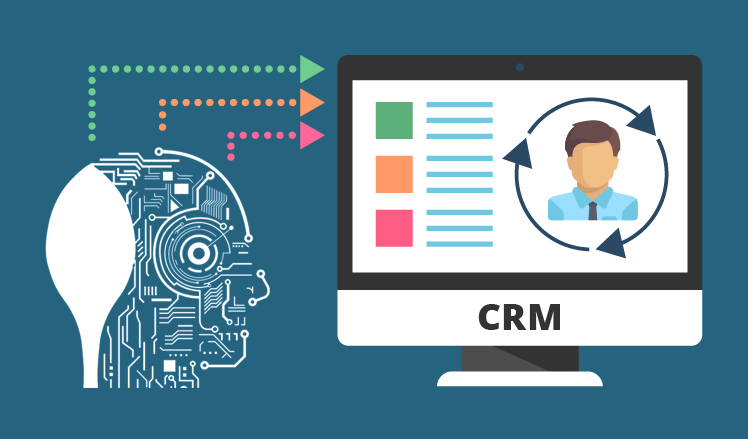
CRM automation is another area where AI can make a noticeable difference. AI can summarize calls, meetings, and CRM notes so you do not have to spend extra time rewriting everything after each conversation. That helps keep records clean and makes it easier to review deal progress later. It also reduces the chance that important details get buried in long notes or forgotten after a busy day.
Follow-up is where many sales opportunities are won or lost, and this is where AI follow-up tools are especially helpful. They can suggest message drafts, remind you when to check in, and keep outreach consistent across email or CRM tasks. If you often struggle to send the next message on time, AI can give you a starting point so you respond faster and with less effort. That consistency matters because leads often go cold simply because no one followed up at the right moment.
- Prioritize high-intent leads: Use AI to identify contacts who are most engaged, so you can spend time where it is most likely to pay off.
- Keep outreach consistent: Let AI suggest follow-up messages and timing so your sales communication stays steady and professional.
- Capture call summaries automatically: Save time by turning conversations into clear notes, action items, and next steps.
- Track pipeline movement: Use AI-supported CRM workflows to spot stalled deals and keep opportunities moving forward.
- Reduce missed opportunities: Set reminders and automated nudges so leads are not forgotten after the first call or email.
For freelancers and SMEs, the goal is not to replace the sales process—it is to make it easier to manage. The best sales automation features help you stay organized, respond faster, and keep your pipeline moving without adding more manual work. If you choose tools that combine lead scoring, follow-up support, and CRM summaries, you can build a more reliable sales system that saves time and helps you close more opportunities.
AI Tools for Productivity, Admin, and Workflow Automation
If your team spends too much time on meeting notes, follow-up emails, file sorting, or moving tasks between apps, this is where AI can make an immediate difference. For freelancers, SMEs, and growing businesses, the best productivity tools are often the ones that remove repetitive admin work without adding complexity. The goal is not to replace your team’s judgment, but to reduce the small tasks that slow everyone down.
One of the most useful starting points is an AI note taker. These tools can join meetings, capture key points, summarize discussions, and highlight action items so you do not have to manually transcribe everything afterward. That means less time rewriting notes and more time actually following up on decisions. For example, a client call can be turned into a clear summary with next steps, deadlines, and owners, ready to share with the team in minutes.
Another major time-saver is workflow automation. These tools connect your apps and move information automatically between them, which is a big win for admin automation and business process automation. A simple workflow might send a new form submission into your CRM, create a task in your project management tool, and notify the right person in Slack or email. Instead of copying details from one system to another, your team can focus on the work that actually requires attention.
 https://www.youtube.com/watch?v=5TxSqvPbnWw
AI-powered scheduling and AI task management tools are also worth looking at. They can help prioritize tasks, suggest deadlines, organize calendars, and keep projects moving. For small teams, that can mean fewer missed follow-ups and less back-and-forth around availability. Some tools can even detect what needs urgent attention, group related tasks, or automatically create reminders based on project milestones.
Document organization is another area where AI can quietly save hours. Many tools can tag files, extract information from documents, rename uploads, or sort invoices and contracts into the right folders. This is especially useful if your business handles a steady flow of forms, receipts, proposals, or client files. Instead of manually categorizing everything, your team can rely on automation to keep records tidy and easier to find later.
Here are a few practical use cases where these productivity tools often help the most:
- Capturing meeting summaries and action items automatically
- Routing leads or support requests to the right person
- Turning form submissions into tasks or CRM entries
- Sorting invoices, receipts, and uploaded documents
- Creating simple reports or weekly summaries from existing data
- Sending reminders for overdue tasks or approvals
For many businesses, the biggest benefit of workflow automation is not just speed. It is the way it reduces mistakes, keeps information consistent, and frees up your team to do higher-value work. When admin tasks are handled automatically, people have more time for customer service, sales, planning, and creative problem-solving.
If you are choosing tools for your business, start with one or two repetitive processes that are easy to improve. That could be meeting notes, task assignment, or file handling. Once those are running smoothly, you can expand into more advanced business process automation across your operations. Small improvements here often create noticeable time savings across the whole business.
How to Choose the Right AI Stack for Your Business
The best AI tool stack is not the one with the most features. It is the one that solves your biggest bottlenecks without adding more complexity. If you are a freelancer, small business owner, or managing a growing team, the goal is to build a practical workflow stack that supports how you already work.
Start by identifying your top three business pain points. For example, maybe you spend too much time writing emails, creating content, following up with leads, or organizing admin tasks. Those are the first areas where business efficiency tools can make a real difference. Instead of browsing every new app on the market, focus your tool selection on the problems that slow you down most.
A simple small business automation strategy usually works better than trying to automate everything at once. Begin with one or two tools and test them in real workflows before adding more. This keeps your setup easier to manage and helps you see whether a tool truly saves time or just creates another login to remember.
When comparing options, use a straightforward software comparison approach:
- Cost: Does the monthly price fit your budget now, and will it still make sense as your business grows?
- Learning curve: Can you or your team start using it quickly, or will setup take too much time?
- Time saved: Does the tool remove repetitive work, speed up decisions, or help you respond faster?
The best choice is not always the most powerful one. A simpler tool that fits your current process may be more valuable than an advanced platform that needs training, setup, and constant tweaking. For many small businesses, the right business efficiency tools are the ones that reduce friction immediately.
Your ideal AI stack will also depend on your business type. Freelancers often need tools for writing, scheduling, note-taking, and client communication. Service businesses may benefit more from lead management, appointment booking, proposal drafting, and follow-up automation. Ecommerce stores usually need support for product descriptions, customer service replies, ad copy, and inventory-related workflows. In other words, your stack should reflect your actual day-to-day work, not a generic checklist.
A good rule is to review results after a short trial period, such as two to four weeks. Ask simple questions: Did this tool save time? Did it improve quality? Did anyone on the team actually use it consistently? If the answer is no, it may not belong in your stack. This kind of review helps you refine your AI tool stack over time and avoid paying for software that looks useful but does not move the business forward.
As you test and learn, keep your setup lean. A focused collection of tools will usually outperform a crowded one. The right mix should support your best workflows, strengthen your operations, and give you more room to grow without making your day more complicated.
Common Mistakes to Avoid When Using AI Tools
AI can be a real advantage for freelancers, SMEs, and growing teams, but only when it is used with clear intent. One of the most common AI workflow mistakes is trying to adopt too many tools at once. It is easy to get excited by new features for writing, scheduling, research, design, and customer support, but too much overlap often creates tool overload. Instead of saving time, your team may spend more time switching between apps, managing logins, and learning different systems.
A better approach is to start small. Choose one or two tools that solve a specific problem, such as drafting emails, summarizing meetings, or speeding up social media content creation. Keep the workflow simple, then measure whether the tool actually improves small business productivity. If it saves time, reduces manual work, or improves consistency, it may be worth keeping. If not, it is probably adding friction rather than value.
Another mistake is trusting AI output without human review. Even the best AI tools can produce content that sounds confident but is inaccurate, outdated, or off-brand. This is especially important for customer-facing material such as website copy, proposals, and replies to clients. Always check facts, spelling, formatting, and tone before publishing. A quick human review can prevent awkward phrasing, misleading claims, or a message that feels too generic for your audience.
For business owners, it is also important not to rely on AI for sensitive decisions without oversight. AI can help organize information, suggest options, or draft summaries, but it should not be the final authority on hiring, pricing, legal issues, financial choices, or customer disputes. These decisions often require context, judgment, and accountability that AI cannot provide on its own. Use AI as support, not as a substitute for responsible decision-making.
Weak prompts are another frequent source of poor results. If your instructions are vague, the output will usually be vague too. Clear prompt writing makes a big difference. For example, instead of asking for “a marketing email,” specify the audience, goal, tone, length, and call to action. The more detail you provide, the more useful the result will be. Good AI best practices include treating prompts like briefs: the clearer the goal, the better the draft.
To get better results, think in terms of repeatable workflows rather than one-off experiments. Ask yourself:
- What task takes too much time every week?
- Which tool helps with that task most reliably?
- Where does human review need to happen?
- What outcome matters most: speed, quality, consistency, or cost?
When you keep your process focused, AI tools are more likely to support your business instead of complicating it. The goal is not to use as many tools as possible. The goal is to build a practical system that helps you work faster, stay accurate, and deliver better results with less effort.
The best AI tools for small businesses are the ones that solve a real problem, save time, and fit your budget. Whether you need help with content, customer support, sales, or day-to-day admin, the right tools can make a small team feel much bigger.
Start with one clear goal, choose a tool that is easy to use, and test it on a real task before adding more. When you use AI with a practical plan, you can reduce busywork, work faster, and spend more time on the parts of your business that truly matter.