Introduction
Did you know that millions of blog posts are published every single day? Yet, only a small percentage consistently attract readers and generate income. That’s the exciting part! In 2026, starting a blog is no longer just about writing—it’s about building a personal brand, creating authority, and connecting with an audience that genuinely values your expertise.
Whether you dream of earning passive income, promoting your business, sharing your passion, or becoming an industry expert, blogging remains one of the most powerful digital assets you can own. I’ll walk you through every essential step, from choosing your niche and setting up your website to creating SEO-friendly content that ranks on Google and attracts loyal readers. Let’s dive in!
Why Start a Blog in 2026?
I remember back a few years ago, I poured my absolute soul into building up a trendy social media page. I thought I was the king of the world until the algorithm shifted overnight, and my views tanked by over 80 percent. I literally sat there crying into my morning coffee because my entire business vanished.
That painful reality check taught me an invaluable lesson about building your house on rented land. In 2026, the digital landscape is wildly crowded, making owned digital platforms more crucial than ever before. When you know how to start a blog on your own domain, you own the digital real estate completely.
Blogging vs Social Media: The Ultimate Showdown
Let’s be totally real for a second. On apps like Instagram or TikTok, your content is practically dead in 24 hours. It’s a non-stop hamster wheel that leaves creators feeling completely burnt out.
+-----------------------------------+-----------------------------------+
| Blogging (Owned Media)            | Social Media (Rented Media)       |
+-----------------------------------+-----------------------------------+
| Content lasts for years           | Content disappears in 24-48 hours |
| You own the audience data         | The platform owns your followers  |
| Driven by search intent           | Driven by chaotic algorithms      |
+-----------------------------------+-----------------------------------+
Blogging relies on search engine optimization to bring you consistent, compounding rewards. A single well-optimized post can drive high-quality organic traffic to your site for years to come. Me and my buddy actually still make monthly money from a post we wrote years ago about basic algebra hacks.
Building Unshakeable Authority and Income
Whether you are an individual trying to share a passion or a small business aiming to grow, blogging is the ultimate tool for authority building. When people search Google for answers to their problems and find your detailed guide, you instantly become their trusted expert. This natural trust makes personal branding so much easier because you aren’t chasing people down.
A Quick Lesson Learned: Don’t just blog for pageviews; blog to solve real problems for real people. Google’s newer updates heavily reward this approach.
This authority directly unlocks incredible avenues for passive income. Once your pages start ranking, you can monetize that traffic through display ads, brand sponsorships, or affiliate marketing. I’ve watched my blog revenue grow from a few pennies to a reliable monthly paycheck that pays my actual mortgage.
Current Blogging Trends in 2026
The blogging world has changed a ton recently, especially with the explosion of cheap AI content filling up the web. Because the internet is flooded with generic, robot-written junk, readers are totally starving for a genuine human voice.
The biggest trend right now is human-first content that features real-life experiences and honest mistakes. Google actively looks for EEAT (Experience, Expertise, Authoritativeness, and Trustworthiness) when deciding who gets the top spots. Showing your true personality and unique perspectives is no longer just a design choice; it is your actual SEO secret weapon.
Choose the Right Blogging Niche
Let me tell you a quick story about my absolute biggest blogging failure. Back when I first tried to start a blog, I decided to write about “everything I find interesting.” One day it was a recipe for blueberry muffins, the next day it was a breakdown of quantum physics, and the week after that it was medieval history. I thought I was being a Renaissance man, but my traffic looked like a flatline on a heart monitor.
Nobody knew why they should visit my site because I didn’t have a specific focus. That’s when I realized that learning how to choose a niche is the single most important decision you will make. If you try to talk to everyone, you end up talking to absolutely nobody.
The Profitable Niche Sweet Spot
Finding a profitable blog niche isn’t just about picking something you like, nor is it just about chasing the biggest dollar signs. It is really about finding that perfect, magical intersection of three specific things: your passion, your personal expertise, and actual market demand.
   [ Passion ]        [ Expertise ]
        \              /
         \            /
      [ Profitable Niche ]
              |
              |
       [ Market Demand ]
I used to think expertise meant having a fancy PhD, but it really just means knowing more than the average person. If you can explain fractions to an eighth grader better than their school textbook does, you have expertise. But you also need to make sure people are actually looking for that help, which is where keyword research comes into play. You have to check if folks are typing those questions into Google before you spend months writing about it.
Evergreen vs. Trending Content
When you’re brainstorming blog ideas, you’ll run into two different types of topics. Trending niches are super flashy and can give you a massive spike in traffic overnight, like a sudden craze over a new gadget. But the downside is those trends die out fast, leaving your traffic completely stranded.
My Golden Rule: Aim for a niche that is at least 80% evergreen. Evergreen content covers topics that stay useful and relevant for years, like financial planning, basic home repairs, or healthy cooking habits.
Validating Demand and Avoiding the Giants
Before you purchase your domain name, you absolutely must validate that your niche has legs. I use simple free tools like Google Trends and AnswerThePublic to see if the search volume is steady or growing. Look for communities on Reddit or Facebook groups where people are asking frustrated questions—that’s a goldmine for user intent.
But a huge mistake I see new bloggers make is picking a topic that is way too broad and overly competitive. If you try to build a site around “fitness tips,” you are trying to outrank multi-million dollar corporations like Healthline. Instead, you need to carve out a smaller slice of the pie.
Instead of general fitness, focus on “strength training for busy parents over 40.” By shrinking your focus, you drastically reduce your competition and make authority building way easier. It’s much better to be a big fish in a small pond when you are starting out.
Define Your Target Audience
I’ll never forget the day I got my first massive comment on a blog post. I had spent all night writing this incredibly detailed guide on how to study for algebra exams without losing your mind. A few days later, a student commented, “It feels like you were sitting right next to me at my desk, watching me panic.” That blew me away.
That was the exact moment I realized I hadn’t just written a post—I had finally figured out my audience research. Up until then, I was just shouting into the void, hoping someone would listen. But once you know exactly who you’re talking to, your words hit different.
Creating a Reader Persona (Your Imaginary Best Friend)
When you sit down to write, you shouldn’t be visualizing a nameless crowd of thousands of people. You need to create a single reader persona. This is a fictional profile of your absolute ideal reader. Give them a name, a job, and specific habits.
+-----------------------------------------------------------------------+
|                         IDEAL READER PROFILE                          |
+-----------------------------------------------------------------------+
| Name: Sarah (Age 34)                                                  |
| Job: Busy working mom trying to learn web design at night.            |
| Frustration: Exhausted by 9 PM, hates confusing tech jargon.          |
| Goal: Wants simple, 15-minute lessons she can do at her kitchen table.|
+-----------------------------------------------------------------------+
When I write my guides now, I imagine I am just sending an email to Sarah. It changes the whole tone of your content creation. It stops you from sounding like a stiff encyclopedia and makes you sound like a helpful peer.
Uncovering Audience Pain Points and Search Intent
To really hook people, you have to understand their deepest frustrations—their pain points. What keeps them awake at 2 AM? If you run a cooking blog, maybe their pain point isn’t “learning to cook,” but rather “I only have 20 minutes to feed three screaming toddlers.”
This ties directly into analyzing search intent. Search intent is the why behind a Google search. When someone types something into that search box, what are they actually trying to accomplish?
- Informational Intent: They want to learn how something works (e.g., “why does pie crust get soggy”).
- Transactional Intent: They are ready to buy a specific solution (e.g., “best non-stick pie pan”).
A Mistake I Made: I used to write long, poetic backstories for recipes when people just wanted to know the baking time. Match your content exactly to what the user is trying to solve, or they will bounce from your page instantly.
Building Helpful Content Around Real Needs
Google’s search algorithms are incredibly smart now. They don’t just look for words on a page; they look at reader engagement to see if your site actually helped the person. If a reader clicks your link, reads for ten minutes, and prints out your checklist, Google recognizes that you provided “helpful content.”
So, look at your demographic data, but focus heavily on reader goals. If you build every single piece of your content strategy around solving one specific problem for your reader, your organic traffic will start climbing. You won’t have to beg people to read your stuff because they will naturally find you when they need help the most.
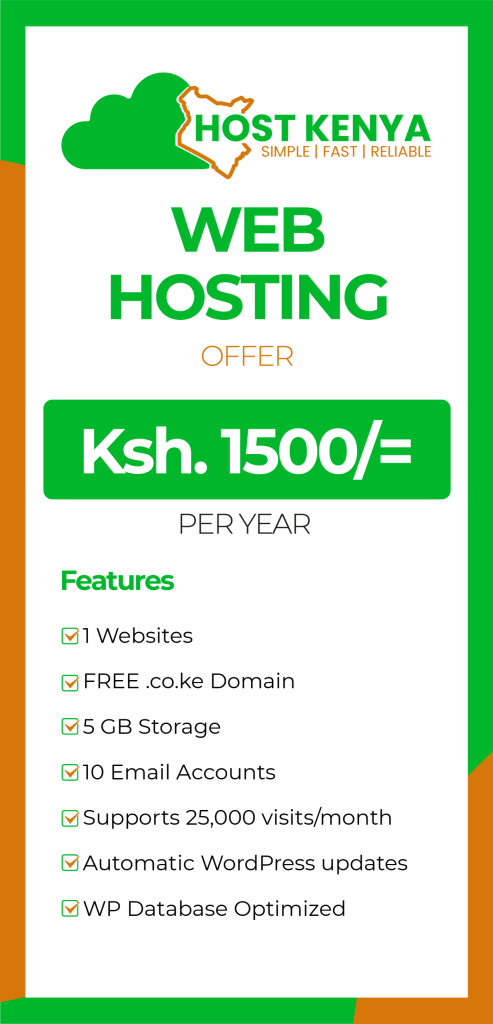
When choosing a web hosting provider, it’s important to balance local performance with reliability and features. Both Host Kenya and Host Cloud are reputable options tailored to the Kenyan market, each offering distinct advantages depending on your specific needs.
Host Kenya (hostkenya.co.ke)
Host Kenya is a well-established provider that focuses on providing a comprehensive suite of hosting solutions, including shared, VPS, and dedicated hosting.
- Key Features: They emphasize security with free SSL certificates, malware protection, and regular backups.
- Support & Payments: They provide reliable local support and accept convenient Kenyan payment methods like M-Pesa, bank transfers, and credit cards.
- Best For: This is a strong choice if you want a provider that offers an all-in-one experience, including web design and site builder tools, making it particularly accessible for beginners and small businesses.
Host Cloud (hostcloud.co.ke)
Host Cloud distinguishes itself by focusing on modern infrastructure and transparent, user-friendly service.
- Performance: They utilize NVMe storage (which is typically faster than traditional SSDs) to ensure quick database and file response times.
- Pricing: A major selling point for Host Cloud is their commitment to transparent renewal pricing, meaning the price you sign up with is typically the price you pay at renewal—avoiding the common industry practice of doubling fees after the first year.
- Best For: This is an excellent option for users prioritizing site speed (using NVMe) and those who want predictable, transparent costs without “price shock” upon renewal.
Quick Comparison Summary
| Feature | Host Kenya | Host Cloud |
| Primary Focus | Comprehensive web solutions & ease of use | High performance (NVMe) & transparent pricing |
| Payment Options | M-Pesa, Bank Transfer, Cards | M-Pesa, Cards |
| Best For | Beginners, small businesses, site builders | Performance-driven sites, predictable budgeting |
How to Choose Between Them
To decide which one is better for your specific project, consider these two factors:
- Prioritize Transparency: If you are worried about renewal fees increasing, Host Cloud’s transparent pricing model is a significant advantage.
- Prioritize All-in-One Tools: If you are a beginner who also needs help with web design or a site builder to get started, Host Kenya’s bundled approach might be more convenient.
Regardless of which you choose, both providers understand the Kenyan digital landscape, offering servers optimized for the region to ensure your website loads quickly for local visitors. Always review their latest packages directly on their respective websites to see which current offer best fits your storage and bandwidth requirements.
Install a Blogging Platform
When I first decided to set up a website, I spent an entire weekend trying to use a trendy, closed-subscription website builder because the advertisements promised it could be done in five minutes. I built the whole thing, but a month later, when I wanted to add a simple customized quiz for my readers, the platform blocked me unless I paid for their ultra-premium tier. I was so incredibly frustrated that I literally deleted the whole project and started over. That’s when I swallowed my pride and leaned into learning a real WordPress tutorial.
Why WordPress Still Dictates the Internet
There are plenty of flashy alternative blogging platforms out there, but WordPress continues to power over 40 percent of the entire internet for a reason. It gives you complete, absolute ownership of your digital files and data.
+-----------------------------------+-----------------------------------+
| WordPress.org (Self-Hosted)       | Closed Website Builders           |
+-----------------------------------+-----------------------------------+
| You own 100% of your data         | You rent space on their platform  |
| Infinite free & paid plugins      | Restricted to built-in features   |
| Built natively for advanced SEO   | SEO tools often hidden behind pay |
+-----------------------------------+-----------------------------------+
With a self-hosted WordPress blog, you aren’t trapped inside someone else’s ecosystem. If your business grows and you want to start selling digital courses or physical products, you can do it seamlessly without paying crazy platform transaction fees. It is hands-down the cleanest framework for launching an organic online business.
The Basic Blog Setup Process
Getting things running is actually way simpler than it used to be. Most high-quality hosts offer a “one-click WordPress installation” right inside your client portal. You just click the button, type in an admin username and a strong password, and the system sets up the entire database backend for you.
Once the installation finishes, you’ll log into your basic dashboard at [yourdomain.com/wp-admin](https://yourdomain.com/wp-admin). The left-hand sidebar can look a bit overwhelming at first glance, but you really only need to focus on a few essential settings before you start writing your heart out.
An Easy Prerequisite Checklist:
- Go to Settings > General and ensure your Site Title and Tagline match your core brand.
- Turn off public registrations under Membership so bots can’t spam your login page.
- Make sure your site visibility isn’t blocking search engines from indexing you!
Fix Your Permalink Structure Immediately!
If you only take one piece of advice from this entire section, let it be this one. Before you publish a single post, you must change your permalink structure. By default, old WordPress setups used to create messy URLs like [yoursite.com/?p=123](https://yoursite.com/?p=123). This tells your human readers and Google absolutely zero information about your actual topic.
To fix this, go to Settings > Permalinks in your dashboard. Avoid the structures that include dates or categories. If you use dates like /2026/07/post-name/, your evergreen content will look old and unappealing to readers in a couple of years, even if you update it constantly.
Select the Post name option, which changes your URL path to [yoursite.com/%postname%/](https://yoursite.com/%postname%/). This gives you clean, short, keyword-rich links that maximize your blog optimization and look completely professional.
Select a Professional Blog Theme
I will never forget the time I thought my blog looked like an absolute masterpiece. I had picked this gorgeous, complicated theme that featured huge video backgrounds, rotating text animations, and custom cursor trailing effects. I felt like a high-tech designer until I actually checked my analytics. My bounce rate—the percentage of visitors who leave after viewing just one page—was sitting at a brutal 85 percent.
When I finally ran my site through a performance checker, it took a whopping eight seconds to load on a standard smartphone. Readers weren’t marveling at my cool animations; they were staring at a blank white screen, getting annoyed, and clicking away to find a competitor’s site. It was a massive wake-up call about what actually matters in web design.
The Massive Cost of a Slow Website
In 2026, user patience is practically at zero. Google focuses heavily on Core Web Vitals, which are specific metrics that measure exactly how fast and smoothly your site loads for a real user. If your theme is bogged down with bad code or heavy files, your search engine rankings will suffer dramatically, no matter how amazing your writing tips are.
+-----------------------------------+-----------------------------------+
| Lightweight SEO Themes            | Bloated Multi-Purpose Themes      |
+-----------------------------------+-----------------------------------+
| Page size under 50KB              | Page size over 1MB or 2MB         |
| Loads in less than 500ms          | Loads in 3 to 8+ seconds          |
| Native block editor compatibility | Relies heavily on external scripts|
+-----------------------------------+-----------------------------------+
When you are hunting for a theme, your primary goal should be raw speed and clean structure. You want a “blank canvas” or highly optimized framework that stays out of the way of your actual written content.
Top Lightweight Theme Recommendations
Thankfully, the free theme market is better now than it has ever been. You don’t need to spend a fortune to get a lightning-fast, beautiful site. Here are a handful of the top-performing, reliable options that dominate the web right now:
- Astra: This is an absolute classic for beginner blogging guide setups. It is incredibly lightweight (under 50KB), fully optimized for speed, and comes with hundreds of ready-to-use layouts you can install with one click.
- GeneratePress: The absolute king of clean code and performance. If you want your pages to load instantly like a flash of lightning, this is the safest bet for serious developers and bloggers alike.
- Kadence WP: A brilliant precision theme that offers amazing visual header and footer drag-and-drop builders right inside the free version. It strikes a great balance between no-code customization and fast load times.
- Blocksy: An incredibly smooth, modern option built on React technology that gives you premium features for completely free, including sticky navigation bars.
A Quick Theme Selection Tip: When testing out a demo theme, always check how it looks on your phone first. Over 60% of your global search traffic will likely come from mobile devices, so mobile optimization is completely non-negotiable.
Accessibility and User Experience Best Practices
A truly professional theme doesn’t just look pretty; it’s easy for absolutely everyone to read. Look for themes that emphasize clean typography and excellent contrast options. If your text is light gray on a white background, your older readers are going to strain their eyes and leave.
Keep your layout highly scannable. Use themes that support clean sidebar layouts or clean full-width content containers that don’t crowd your text. By prioritizing responsive theme structures that automatically adjust beautifully to any screen size, you create a phenomenal user experience that keeps readers clicking through your topic clusters for hours.
Install Essential WordPress Plugins
When I first discovered the plugin marketplace, I felt like a little kid in a candy store. I was so excited by all the cool features that I literally installed over thirty different plugins in one single afternoon. My site could display floating snowflake animations, track random user clicks, and play music.
But a few days later, my dashboard completely crashed, and my site speed dropped to a snail’s pace. I had created a bloated, conflicting mess because many of those extensions were fighting for the exact same system resources. That was a huge lesson learned: plugins are like spices in cooking—use too much, and you completely ruin the dish. In 2026, a lean, clean plugin stack is crucial for website performance.
The Essential Core Plugin Stack
You only need one high-quality plugin per functional category. Putting two plugins from the same category on your site (like running two caching tools at once) will literally break your layout or tank your speed. Here is the exact, streamlined toolkit I use on all my setups:
+----------------------+--------------------------------------------------+
| Category             | Recommended 2026 Standard Plugins                |
+----------------------+--------------------------------------------------+
| SEO Optimization     | Rank Math SEO or Yoast SEO                       |
| Security & Firewall  | Wordfence Security or All In One Security (AIOS) |
| Speed & Caching      | WP Rocket (Paid) or LiteSpeed Cache (Free)       |
| Cloud Backups        | UpdraftPlus                                      |
| Image Compression    | ShortPixel or Imagify                            |
+----------------------+--------------------------------------------------+
Deep Dive: SEO and Speed Essentials
For SEO for bloggers, your best bet is Rank Math or Yoast SEO. Personally, I love Rank Math because its free version gives you deep on-page SEO insights, builds automatic XML sitemaps, and handles schema markup without slowing down your backend. It makes targeting your key phrases incredibly straightforward.
When it comes to a caching plugin to boost your website speed, you have to look at your host’s server.
- If you went with a LiteSpeed server setup, the free LiteSpeed Cache plugin is an absolute beast that handles server-level optimization flawlessly.
- If you are on an Apache or Nginx setup, WP Rocket or FlyingPress are the premium gold standards that automate things like delaying heavy JavaScript files.
A Critical Security Warning: Do not delay installing a security plugin. The internet is filled with automated bots constantly trying to guess standard passwords. Installing Wordfence right away and turning on basic firewall protection stops those malicious brute-force attacks dead in their tracks.
Automated Maintenance: Backups and Images
Never, ever rely solely on your hosting company for a website backup. I learned this the hard way when a server glitch wiped out a week’s worth of my hard work. By using UpdraftPlus, you can schedule automatic weekly backups that send a complete copy of your files straight to a free cloud space like Google Drive or Dropbox. If anything ever breaks during an update, you can restore your site with a single click.
Finally, massive image files will absolutely destroy your Core Web Vitals scores. Tools like ShortPixel or Smush will automatically shrink and optimize every single photograph you upload without hurting its visual quality. Keeping your media files tiny ensures your pages load rapidly for mobile users, keeping your organic traffic moving smoothly.
Create Important Website Pages
When I first launched a site, I was so laser-focused on writing my first big guide that I completely ignored the structural layout of the rest of the site. I didn’t have an about page, and my contact link was literally just a broken email placeholder. A few weeks in, a massive brand actually reached out to me via a random blog comment saying they wanted to sponsor a post for $500, but they couldn’t find a legitimate way to verify who I was or contact me professionally. I missed that email by three weeks and lost the deal completely.
That was a brutal lesson in website professionalism. In 2026, building out your core web pages isn’t just a design choice—it’s the bedrock of your site’s credibility for both human readers and search engine algorithms.
The “Trust” Pages Google Actively Looks For
With recent core algorithm updates, Google places an immense amount of weight on EEAT (Experience, Expertise, Authoritativeness, and Trustworthiness). Search bots don’t just scan your articles; they check your domain to see if you are a real, transparent person or just a nameless AI content farm.
+-----------------------------------+-----------------------------------+
| Core Identity Pages               | Absolute Legal Foundations        |
+-----------------------------------+-----------------------------------+
| About Page (Your story & mission) | Privacy Policy (Data collection)  |
| Contact Page (How to reach you)   | Terms and Conditions (Site rules) |
| Editorial Policy (Writing quality)| Disclaimer / Affiliate Disclosure |
+-----------------------------------+-----------------------------------+
Your About Page is secretly one of the most visited pages on any successful blog. Don’t make it a dry résumé. Share your mistakes, your journey, and exactly why you are qualified to help your readers solve their problems. My own traffic surged significantly once I put a real, goofy picture of myself on my about page and explained my years of failing and succeeding in my niche.
Setting Up Your Legal Shield
Let’s talk about the boring stuff that can save your business down the road. You might think, “I’m just a small blogger, I don’t need a Privacy Policy.” But the second you install Google Analytics or put a simple newsletter subscription box on your site, you are actively collecting user data like cookies and email addresses.
A Legal Reminder: Strict international laws like GDPR and CCPA require you to state exactly how you collect, store, and use reader information. Skipping a privacy notice can literally get your site banned from ad networks or land you a hefty fine.
You also absolutely need a dedicated Disclaimer and Affiliate Disclosure page if you plan on making any money.
- The Disclaimer: This protects you by stating that your content is for informational purposes only and shouldn’t be taken as professional legal, medical, or financial advice.
- The Affiliate Disclosure: If you use specialized links that pay you a small commission, you are legally required by the FTC to disclose that relationship transparently to your audience before they click.
Don’t panic about hiring an expensive lawyer right away. You can use reliable, compliant privacy policy generators like Termly or WP Legal Pages to create solid, basic legal documents for your footer menu. Taking an hour to launch these foundational pages gives your blog an instant stamp of professional legitimacy that keeps you safe while boosting your topical authority.
Plan Your Content Strategy
I remember sitting at my desk a few years back, completely overwhelmed by my shiny new blog. I had my theme picked out, my plugins were installed, and I was staring at a completely blank screen thinking, “What on earth do I write about tomorrow?” My strategy back then was basically waiting for inspiration to strike, writing a random post, and then crossing my fingers that someone would magically find it. It was completely exhausting and, honestly, a total flop.
That was before I learned that successful blogging isn’t about writing random bursts of inspiration; it’s about treating your blog like a neatly organized library. In 2026, if your website is a messy drawer of random articles, you will never outrank the giants. You need a blueprint, and that’s where a solid content strategy comes into play.
Understanding the Pillar and Cluster Blueprint
The absolute gold standard for organizing your blog right now is the topic clusters model. Instead of writing ten disconnected posts, you create an intentional ecosystem of content that tells Google, “Hey, I am an absolute expert on this entire subject.”
             [ Pillar Page ]
             (Broad Overview)
              /     |     \
            /       |       \
          v         v         v
    [Cluster 1]  [Cluster 2]  [Cluster 3]
    (Deep Dive)  (Deep Dive)  (Deep Dive)
- The Pillar Content: This is a massive, comprehensive hub page (usually 2,500 to 4,000 words) that covers a broad topic at a very high level. For example, “The Ultimate Guide to Plant Care.”
- The Cluster Pages: These are shorter, hyper-focused satellite articles (around 800 to 1,500 words) that dive deep into specific subtopics mentioned in the pillar. Examples would be “How to Save an Overwatered Succulent” or “The Best Soil Mix for Monsteras.”
- The Golden Rule of Internal Linking: Your pillar page must link out to every single cluster page, and every cluster page must link right back to the main pillar. This tight web of internal linking passes ranking power smoothly across your whole site and makes it incredibly easy for Googlebot to crawl.
Mapping Search Intent and Launching a Calendar
When you start your keyword mapping, do not just chase the highest search volume. You have to group your topics by search intent—what the user actually wants to achieve. I used to write informational guides when people were actually looking to buy a specific tool, and my conversion rates were zero. Group your keywords so you have content for beginners who just want a definition, and separate content for readers who are ready to buy a solution.
A Major Mistake to Avoid: Don’t try to manage this in your head. The second I started using a simple, free editorial calendar (even just a basic Google Sheet), my consistency skyrocketed.
Map out your content at least four to six weeks in advance. Write down your target keyword, the primary intent, and which pillar page the article belongs to. Tools like Notion, Trello, or Asana are fantastic content planning lifesavers here. Knowing exactly what you need to write every Tuesday eliminates that awful blank-page anxiety and builds massive topical authority over time.
Write Your First Blog Post
I will never forget the absolute dread I felt when I finally sat down to write my very first actual article. I had my content strategy all planned out, my coffee was hot, and I just stared at that blinking vertical cursor on a blank white screen for two straight hours. I felt like an absolute fraud. When I finally started typing, I tried to sound like a fancy university professor, using these massive vocabulary words that completely sucked the life out of the page. It was totally stiff, and honestly, nobody read it.
That was a huge wake-up call for me. Your first post shouldn’t be a perfect literary masterpiece. In 2026, people want to read content that sounds like a conversation with a knowledgeable peer. Let me break down the exact, step-by-step blog post structure that helped me beat that writer’s block and finally start ranking on Google.
Anatomy of a High-Ranking Blog Post
To make sure your writing tips don’t go to waste, you have to structure your post so that both human beings and Google’s search crawlers can easily digest it. Most readers are just going to skim your page on their mobile phones before deciding to read the whole thing.
+-------------------------------------------------------------+
| [H1 Title] Compelling, Clickable Headline (w/ Main Keyword) |
+-------------------------------------------------------------+
| [Introduction] The Hook + Pain Point + Promise of Solution  |
+-------------------------------------------------------------+
| [H2 Subheading] Major Point 1 (Semantic Keywords Included)  |
|   ├── Regular Paragraphs (Max 3 sentences per paragraph)    |
|   └── Bulleted List / Visual Graphic Placement              |
+-------------------------------------------------------------+
| [H2 Subheading] Major Point 2 (Internal Linking Focus)      |
|   └── [H3 Subheading] Deep Dive Sub-point                   |
+-------------------------------------------------------------+
| [Conclusion] Summary Takeaway + Strong Call to Action (CTA) |
+-------------------------------------------------------------+
Crafting a Hook and Mastering the Headings
Your blog writing tips start and end with your headline. Your H1 title tag needs to balance emotional click appeal with your primary keyword. A mistake I used to make was writing boring titles like “How to Solve Math Fractions.” Boring! Instead, go for something like “Stop Struggling with Fractions: A Simple Guide for Frustrated Parents.”
Once they click, you have exactly five seconds to trap their attention. Use an introduction formula that hits their specific pain point right away.
My Go-To Hook Formula: State a relatable problem, promise a definitive solution within the first three sentences, and state exactly what they will leave with. Do not start with “In this post I will discuss…”—ugh, that is so dry! Jump straight into the value.
As you move into the body, use proper heading hierarchy. Use H2 tags for your main points and H3 tags for smaller sub-sections. This keeps things incredibly neat and sets your text up beautifully to win those coveted Google featured snippets.
Readability, Visuals, and the Final Polish
Listen, massive blocks of text are where blog traffic goes to die. Keep your paragraphs short—never go over three sentences at a time. Mix up your sentence lengths to create a natural human rhythm. Throw in bullet points, relevant data, and clean graphics to give the reader’s eyes a breather.
Also, don’t forget your internal linking! Connect your new post back to those topic clusters or pillar pages you built earlier.
Finally, always close your article with a strong call to action (CTA). Ask your readers a specific question to spark up a conversation in the comments, or tell them to sign up for your newsletter. Getting that initial reader engagement tells search engine algorithms that your page is a lively, helpful resource worth pushing to the top of the search engine optimization charts.
Learn SEO for Blogging
Let me confess something completely embarrassing. When I first started trying to figure out search engine optimization, I thought I could outsmart Google by using this old, sketchy trick called keyword stuffing. I wrote a post about cooking tips, and I literally hid the words “easy cooking tips” fifty times at the bottom of the page by making the text color white so it matched the background. I thought I was a criminal mastermind until Google updated its spam systems and my entire site got blacklisted from search results. I went from a few hundred daily visitors to absolute zero overnight.
It was a devastating slap in the face, but it forced me to actually sit down and learn how real SEO for bloggers works. In 2026, search algorithms aren’t easily tricked by cheap robotic hacks. They are incredibly sophisticated, layered systems that focus on human experience, technical health, and genuine trust.
The Two Pillars: On-Page Relevance vs. Technical Health
To get your articles to consistently rank on page one, you have to nail both the creative and the technical sides of your website. Think of your blog like a beautiful car—on-page SEO is the gorgeous paint job and comfortable interior that people love, while technical SEO is the powerful engine under the hood that makes the whole thing run smoothly.
+-----------------------------------+-----------------------------------+
| On-Page SEO (The Content View)    | Technical SEO (The System Engine) |
+-----------------------------------+-----------------------------------+
| Natural keyword optimization      | Fast loading speed (Core Web      |
|                                   | Vitals)                           |
| Catchy meta titles and summaries  | Clear XML sitemap for search bots |
| Helpful internal and external links| Mobile responsiveness & HTTPS     |
+-----------------------------------+-----------------------------------+
For your on-page strategy, stop obsessing over exact-match repetition. Instead, blend your primary phrases into the first 100 words naturally, and then sprinkle in variations that match the user’s actual search intent. Write a meta description that reads like a mini-advertisement for your link so people are actually excited to click it when they see it in the search results.
Demystifying Core Web Vitals and Technical Health
Let’s look under the hood for a second. Google tracks how your site performs for real-world users using a strict framework called Core Web Vitals. If your site fails these metrics, your rankings can and will suffer, especially on mobile devices.
The three major performance metrics you need to watch inside your Google Search Console dashboard are:
- Largest Contentful Paint (LCP): This measures how fast the main content on your page loads. In 2026, a “Good” score means your page needs to open in under 2.0 seconds.
- Interaction to Next Paint (INP): This tracks how quickly your site responds when a reader clicks a link or buttons on your page. You want this under 200 milliseconds to keep things feeling snappy.
- Cumulative Layout Shift (CLS): This measures visual stability. Have you ever been reading an article and the text suddenly jumps down because an ad loaded late? That’s a bad layout shift, and your score needs to be under 0.1 to avoid penalties.
An Easy Technical Fix: You can drastically improve your image SEO and page speed just by lazy-loading your pictures and saving them in modern formats like WebP instead of heavy JPEGs.
Mastering the Unbreakable Rules of EEAT
The ultimate tiebreaker for outranking competitive sites comes down to EEAT, which stands for Experience, Expertise, Authoritativeness, and Trustworthiness. Google wants to know that there is a real flesh-and-blood human with actual life experience behind your typing.
To show off your authority, make sure you use proper schema markup—which is essentially a small piece of code that helps search bots quickly identify details like who the author is. Fill out your author profile with your background, link out to high-quality external resources to back up your claims, and add a few internal links to your other matching cluster posts. When you mix technical health with authentic, helpful writing, your blog traffic will naturally start to explode.
Promote Your Blog
I used to believe the absolute biggest lie in the blogging world: “If you build it, they will come.” When I finished writing my first really epic, 3,000-word guide, I published it, closed my laptop, and literally sat by my phone waiting for the thousands of readers to start rolling in. I checked my stats every ten minutes. Day one: zero visitors. Day two: two visitors (and pretty sure one of them was my mom). It was an absolute gut punch.
That’s when I realized that writing the content is only half the battle. If you want to grow blog traffic, you have to spend just as much time promoting your work as you do writing it. In 2026, you cannot just sit back and hope Google finds you right away; you need an active promotion strategy to kickstart that initial momentum.
The 2026 Blog Promotion Matrix
You don’t need to be on every single social network to succeed. It’s way better to pick two platforms where your actual audience hangs out and master them completely.
+-----------------------------------+-----------------------------------+
| Visual & Search-Driven Traffic    | B2B & Professional Traffic        |
+-----------------------------------+-----------------------------------+
| Platform: Pinterest Marketing     | Platform: LinkedIn Marketing      |
| Lifespan: Months to years         | Lifespan: Days                    |
| Strategy: High-quality vertical   | Strategy: Text-only thought       |
| pins + keyword-rich boards        | leadership + link in comments     |
+-----------------------------------+-----------------------------------+
For lifestyle, food, travel, or DIY niches, Pinterest marketing is an absolute goldmine. Pinterest isn’t really a social media app; it’s a visual search engine. A single beautiful pin can drive organic traffic to your site for months after you post it. My buddy actually gets over 60 percent of his traffic from pins he made last year.
Tapping into Existing Communities with Care
If you are writing technical, business, or highly specific niche topics, LinkedIn marketing is where the real money is at. But here is a massive mistake I see people make: they just drop their raw link with a boring caption like “New post is live!” The platform algorithms hate that because they want to keep users on their own site.
The Comment Section Trick: Write a compelling, value-packed summary of your main points directly in your social media post. Then, drop the actual link to your blog in the very first comment below. This simple hack keeps the algorithm happy and skyrockets your reach.
You can also look for existing audiences inside niche Facebook groups, Reddit communities, or Discord servers. But warning: do not go into these spaces just to spam your links, or you will get banned immediately. You have to spend time answering questions, helping people out, and building up a reputation as a helpful peer first.
The Power of Content Repurposing
Stop trying to create brand-new content from scratch every single day. Instead, practice smart content marketing by taking your long-form blog posts and breaking them down into bite-sized pieces.
Take one heading from your latest article and turn it into a short text post for LinkedIn, a quick script for a short video, or an infographic for Pinterest. By squeezing five or six pieces of social media content out of a single blog post, you maximize your visibility while saving your sanity. Combine this with traditional guest blogging on established websites in your niche, and you’ll build an unshakeable stream of referral traffic that keeps your brand growing.
Build an Email List from Day One
I will never forget the day my heart skipped a beat when I logged into my analytics dashboard and saw a massive red arrow pointing downward. Google had pushed out a routine core algorithm update, and my organic search traffic dropped by half in a matter of hours. I felt completely sick to my stomach. If it weren’t for a tiny, boring little box on my sidebar that I’d set up months prior, my entire business would have been completely wiped out.
That little box was my email signup form. Even though my Google rankings were temporarily in a tailspin, I still had direct access to thousands of readers who had given me permission to land right in their inboxes. That terrifying experience taught me that an email list is the only true insurance policy you have as a creator.
Why Email Marketing Completely Trumps Social Media
When you build a following on social media, you are essentially renting space from a landlord who can change the rules or raise the rent whenever they feel like it. An algorithm tweak can instantly cut your reach down to single digits. With email marketing, you own your subscriber data completely.
+-----------------------------------+-----------------------------------+
| Social Media Followers            | Email Subscribers                 |
+-----------------------------------+-----------------------------------+
| Reach is throttled by algorithms  | Average open rates sit at 20-30%  |
| You don't own the contact data    | You can download your CSV list    |
| Conversion rates are usually low  | Highest ROI for digital product   |
|                                   | sales                             |
+-----------------------------------+-----------------------------------+
When someone hands over their email address, they are opening up their digital front door to you. This is an incredible opportunity for authority building because you can nurture that relationship over time without worrying about competition from a noisy newsfeed.
Hooking Subscribers with an Irresistible Lead Magnet
Let’s be totally honest for a second: nobody wakes up in the morning excited to subscribe to another generic “monthly newsletter.” If your signup button says “Join my newsletter,” your subscription rate is going to stay stuck at zero. You need to offer a fair trade—a high-value lead magnet.
The Quick-Win Rule: Your freebie should solve one hyper-specific problem for your reader within five minutes of downloading it. Think of a one-page cheat sheet, a quick budget spreadsheet, or a simple checklist.
[ Problem: High-carb baking is tricky ]
                  v
[ Solution: A 1-Page Almond Flour Swap Sheet ]
                  v
[ Result: Instant email signups from eager bakers ]
Choosing a Platform and Crafting Your Welcome Sequence
When you are starting out, don’t overcomplicate things with expensive, high-end enterprise software. Pick user-friendly, beginner-friendly email service providers like ConvertKit (now Kit), MailerLite, or Beehiiv. Most of these platforms offer amazing free tiers for your first 1,000 subscribers, which includes basic landing pages and automated delivery forms.
Once a reader signs up and grabs their freebie, don’t just leave them hanging in radio silence until you blast out a random article three weeks later. Set up an automated welcome sequence consisting of two or three quick emails:
- Email 1 (Instant): Deliver the promised lead magnet and briefly introduce yourself with a fun, human anecdote.
- Email 2 (2 Days Later): Share your absolute best, highest-value blog post that tackles a major pain point.
- Email 3 (4 Days Later): Ask them a direct question, like “What is the number one thing you are struggling with right now?”
Getting your readers to hit “reply” and talk to you is an incredible way to boost your email deliverability while gathering endless new blog ideas straight from the horse’s mouth.
Monetize Your Blog
I’ll never forget the absolute thrill of making my first ever penny online. I had spent about six months writing my heart out, getting maybe fifty views a day, and I finally decided to slap some basic Google AdSense banners on my site. A few days later, I logged into my account and saw that I had earned exactly fourteen cents. I literally did a happy dance right in the middle of my living room! I ran to show my family like I had just won the lottery.
Of course, fourteen cents couldn’t even buy a piece of bubble gum, but it completely changed my mindset. It proved to me that my words had actual monetary value. In 2026, blog monetization is no longer just a pipe dream for a lucky few; it is a fully structured roadmap that anyone can follow once they build up a steady stream of organic traffic.
The 2026 Monetization Ladder
A massive mistake I see beginners make is trying to monetize everything all at once on day one. If you have ten visitors a day and you try to sell a five-hundred-dollar online course, you’re just going to get frustrated. You have to climb the monetization ladder naturally as your traffic grows.
                  [ High Traffic / High Trust ]
                                |
                  Level 4: Online Courses & Digital Products
                  Level 3: Premium Ad Networks (Mediavine / Raptive)
                  Level 2: Strategic Affiliate Marketing
                  Level 1: Entry-Level Ads (AdSense / Newor Media)
                                |
                    [ Brand New Blog Launch ]
Display Advertising: Beyond the Fourteen Cents
When you are a brand new blogger, starting with Google AdSense is totally fine just to get your feet wet. But the real game-changing money happens when you clear the entry requirements for premium display ad networks.
- Newor Media: A fantastic mid-tier network that accepts publishers starting at just 5,000 monthly users. They use advanced programmatic header bidding to pay you way more than basic AdSense.
- Mediavine Journey: This is Mediavine’s entry-level tier that opens up at 10,000 monthly sessions. It’s an absolute goldmine for lifestyle, food, and home blogs.
- Raptive: Formerly known as AdThrive, they dropped their minimum traffic requirement down to 25,000 monthly pageviews. They offer some of the highest revenue-per-thousand-views (RPM) metrics in the entire publishing industry.
A Lesson Learned the Hard Way: Keep an eye on how ads affect your website speed. Premium networks are great, but if you let them plaster fifty tracking scripts on a single page, your mobile user experience will tank, and Google will drop your rankings.
Affiliate Marketing and Selling Your Own Products
If you want to unlock true passive income without waiting for millions of pageviews, affiliate marketing is your absolute best friend. This is where you recommend products you already use and earn a sweet percentage of the sale through your unique link.
For physical gear, Amazon Associates is the classic starting point because everyone trusts shopping there. But the real secret to quitting your day job is software-as-a-service (SaaS) affiliate programs. Platforms like Kit (formerly ConvertKit) or Beehiiv offer 30% recurring monthly commissions. That means if you recommend a tool once, you get paid every single month that the user stays subscribed.
Once your audience deeply trusts your personal branding, you can cut out the middleman entirely and start selling your own digital products or online courses. Whether it’s a simple fifteen-dollar budgeting ebook or a full video training series on graphic design, digital assets cost zero dollars to manufacture and pack a 100% profit margin. You turn your blog from a simple hobby site into a highly profitable, self-sustaining online business.
Track Blog Performance
I used to be completely addicted to checking my real-time analytics. Back when I first started getting a little bit of traction, I would keep a tab open to my dashboard all day long while I was working. Every time that little line graph spiked because three people from Chicago randomly clicked on an article, I’d get a massive rush of adrenaline. But if the number dropped to zero, I’d spiral into a bad mood for the rest of the afternoon.
It took me a solid year to realize that staring at real-time pageviews is completely useless. It’s just a vanity metric that doesn’t help you grow. In 2026, if you want to scale a successful blog, you need to look at data like a business owner, not a gambler checking a slot machine. You have to track the metrics that actually tell you how and why your content is performing.
The Two Pillars of Blog Data
You don’t need fancy, expensive enterprise tracking tools when you’re starting out. Google provides two completely free platforms that give you 99% of the data you will ever need to run a professional site.
+-----------------------------------+-----------------------------------+
| Google Search Console (GSC)       | Google Analytics 4 (GA4)          |
+-----------------------------------+-----------------------------------+
| Tracks performance *before* the   | Tracks behavior *after* the click |
| click                             |                                   |
| Shows search impressions & keyword| Shows session duration & engagement|
| rankings                          | rate                              |
| Monitors technical indexing errors| Tracks custom conversion goals    |
+-----------------------------------+-----------------------------------+
Think of Google Search Console as your site’s health monitor in the search results. It tells you exactly how many times your links popped up on someone’s screen (impressions) and which specific queries they typed into the search bar to find you. If your impressions are shooting up but your clicks are flat, it’s a dead giveaway that your meta description or title needs an upgrade.
Unlocking the Real Meaning of Engagement
Once a reader lands on your WordPress blog, Google Analytics takes over the tracking duties. A lot of old-school bloggers still obsess over the “bounce rate,” but the modern standard metric to watch is your Engagement Rate.
A Quick Data Lesson: In GA4, an “engaged session” is defined as a visit that lasts longer than 10 seconds, views 2 or more pages, or triggers a conversion event. If your engagement rate is under 50%, your intro paragraph is likely boring, or your site is loading too slowly on mobile screens.
Keep a close eye on your average engagement time per page. If you wrote a massive, highly detailed 3,000-word piece of long-form content, but your average reader is leaving after 15 seconds, they aren’t actually reading it. They’re jumping ship because the formatting is a solid wall of text or the page is cluttered with annoying pop-up ads.
Setting Up Your Monthly Growth Report
Don’t let data overwhelm you. Pick one morning at the first of every single month to compile a simple, clean spreadsheet. Track your total organic sessions, your top 5 traffic-driving posts, your email subscriber growth, and your net blog income.
By stepping back and looking at your website analytics on a month-to-month macro level, you’ll easily spot trends. You’ll see exactly which topic clusters are gaining momentum and which old posts are starting to decay. This allows you to stop guessing what to write next and confidently make data-driven decisions that skyrocket your long-term visibility.
Common Blogging Mistakes to Avoid
I need to get real with you for a second. About two years into my blogging journey, I thought I had the whole system completely figured out. I was writing three posts a week, tossing in keywords like confetti, and waiting for my massive payout. Instead, my traffic completely plateaued, and my organic traffic actually started dropping. I spent an entire month feeling like an absolute failure, wondering if I should just delete the whole website and go back to a standard office job.
When I finally swallowed my pride and did a brutal audit of my site, I realized I was making every single rookie error in the book. I was chasing numbers instead of helping people. In 2026, the internet is way too competitive to succeed by making sloppy, avoidable errors. Let’s break down the biggest traps that kill blogs so you don’t have to learn these lessons the hard, painful way.
The Rookie Mistake Matrix
Most new creators fall into the exact same pitfalls because they look at what worked back in 2015 instead of looking at modern guidelines.
+------------------------------------+------------------------------------+
| What Beginners Do (The Traps)      | What Pros Do (The Fixes)           |
+------------------------------------+------------------------------------+
| Write thin, generic content for    | Build hyper-specific topic clusters|
| quick rankings                     | that prove expert depth            |
| Ignore technical vitals and image  | Optimize mobile site speed and run |
| compression                        | clean script loading               |
| Rely purely on search engines      | Build a newsletter list from day   |
| without direct audience access     | number one                         |
+------------------------------------+------------------------------------+
Mistake 1: Publishing Thin Content and Keyword Stuffing
The absolute quickest way to get completely ignored by modern search engines is writing thin content. This means publishing short, generic 500-word articles that just scratch the surface of a topic without adding any new value. A lot of folks try to use basic robotic tools to churn out dozens of these pages a week, hoping something sticks.
But Google’s advanced natural language processing systems can spot unhelpful, generic writing from a mile away. Even worse is trying to force your main key phrase into every single sentence.
A Lesson from My Mistakes: If your text sounds robotic because you keep writing “best beginner blogging guide” three times in one paragraph, you are hurting your user experience. Write for humans first, and let your semantic keywords flow naturally into the conversation.
Mistake 2: Neglecting Mobile Speed and Technical Health
I used to think that as long as my writing was incredible, readers would wait for my site to load. That is an absolute lie! If your pages take longer than three seconds to open on a standard smartphone because of massive uncompressed pictures or too many script animations, your audience is going to bounce right back to the search results.
Since Google officially rolled out the Interaction to Next Paint (INP) metric to measure real-world responsiveness, technical health is completely mandatory. You cannot ignore your Core Web Vitals scores. If you let bad code or giant media files clutter your database, you are essentially giving up your hard-earned rankings to competitors who have faster websites.
Mistake 3: Giving Up Way Too Early
Let’s be totally honest: blogging is a marathon, not a quick sprint. I see so many incredibly talented writers launch a beautiful WordPress blog, publish ten amazing articles, and then quit after two months because they aren’t making a thousand dollars yet. They think their site is broken, but they just haven’t given the search engines enough time to index their content and build trust.
[ Phase 1: Launch & Sandboxed Traffic (Months 1-3) ]
                       v
[ Phase 2: Compounding Authority & Indexing (Months 4-9) ]
                       v
[ Phase 3: Steady Organic Traffic Growth (Months 10+) ]
Building genuine topical authority takes consistent effort and a lot of patience. If you stay disciplined, keep clean scannable structures, and focus heavily on creating genuinely helpful resources, you will break through that initial quiet phase and see your traffic grow into a real asset.
Future Blogging Trends Beyond 2026
I was talking to a fellow content creator the other day who was absolutely panicking about the future. They were looking at all the rapid advancements in technology and wondering, “Is blogging going to be completely obsolete in a few years?” It brought me right back to a decade ago when people claimed video would kill written content, or when social media apps were supposed to make websites completely irrelevant. Yet, here we are, and text-based search is still the backbone of the internet.
The truth is, blogging isn’t dying; it is just going through a massive evolution. As we look past 2026, the strategy for building a successful online business is shifting dramatically. The old playbook of churning out generic informational articles won’t cut it anymore. If you want your site to thrive in the coming years, you have to stay ahead of the curve.
The Evolution of Content Strategy
The biggest shift happening right now is the rise of the human-first content movement. With the internet completely flooded by automated, generic writing, both readers and search engines are craving authentic human perspectives.
+-----------------------------------+-----------------------------------+
| Old School Blogging Era           | Next-Gen Blogging Era             |
+-----------------------------------+-----------------------------------+
| Churning out generic information  | Deeply sharing personal experience|
|                                   | & data                            |
| Optimizing strictly for keywords  | Designing for user intent & voice |
|                                   | search                            |
| Relying solely on search traffic  | Building community & direct-owned |
|                                   | audience                          |
+-----------------------------------+-----------------------------------+
Google’s algorithms are continuously refining how they evaluate EEAT, specifically looking for first-hand experience. Moving forward, a top-ranking blog post won’t just list facts; it will include unique case studies, original photography, and honest breakdowns of mistakes. Your personal stories are becoming your most powerful defense against generic competitors.
Voice Search and Interactive Experiences
Another major shift to prepare for is the complete dominance of voice search SEO. More and more people are asking their smart devices conversational questions instead of typing short phrases into a browser.
Instead of typing “best running shoes,” a user might ask their device, “What are the best lightweight running shoes for someone with flat feet?” To capture this traffic, your writing needs to adapt.
The Future Formatting Rule: Start incorporating natural, question-and-answer styled headers (H3 or H4 tags) inside your posts, followed by immediate, clear answers. This conversational flow satisfies voice search systems and positions your site perfectly for featured snippets.
We are also seeing a massive push toward interactive content. Static pages are losing ground to tools like embedded calculators, dynamic quizzes, and customizable checklists. Adding these interactive elements to your WordPress tutorial guides or financial tracking posts keeps readers on your page way longer, which signals incredible value to search engines.
Community-Driven Platforms and First-Party Data
As third-party cookies completely disappear and privacy laws get even tighter, relying entirely on anonymous search traffic is a risky game. The future of professional blogging relies heavily on first-party audience building. You need to turn casual drive-by Google visitors into a dedicated community.
[ Search Traffic Land ] ---> [ High-Value Lead Magnet ] ---> [ Private Newsletter Hub ]
Successful bloggers are focusing heavily on their newsletter growth, building exclusive private sub-communities, and launching direct channels like subscriber-only Q&As. By shifting your mindset from just “getting pageviews” to actually “nurturing an audience,” you build an unshakeable digital asset. No matter how much technology changes beyond 2026, a loyal community that trusts your personal branding will always be your most profitable resource.
Conclusion
Wow, we have covered an absolute mountain of information today, haven’t we? If you are sitting there feeling a little bit overwhelmed, I want you to take a deep, slow breath. I’ve been in your exact shoes—staring at a brand new dashboard, wondering if all this technical stuff, from Core Web Vitals to content strategy, is really worth the effort. It is totally normal to feel a bit intimidated at the start of this roadmap.
But here is the honest truth from someone who has made every single mistake in the book: you do not have to master everything by tomorrow morning. The secret to launching a truly successful blog isn’t having a flawless, perfect strategy on day one. The real secret is just having the guts to hit publish and keep learning as you go.
Your Final Launch Checklist
To help you take action right away without getting lost in the weeds, here is a quick, scannable summary of the exact path we took today. Treat this as your quick-start roadmap:
+------------------------------------------------------------------------+
|                      THE ULTIMATE BLOG LAUNCH PATH                     |
+------------------------------------------------------------------------+
| [ ] Pick an evergreen niche at the intersection of passion & demand.   |
| [ ] Secure a clean, memorable .com domain name.                       |
| [ ] Set up reliable web hosting with local support (like Host Kenya). |
| [ ] Choose a lightweight, lightning-fast theme optimized for mobile.   |
| [ ] Install a lean plugin stack for your SEO, security, and backups.   |
| [ ] Map out your first topic cluster on a simple content calendar.    |
| [ ] Start building your email list using an irresistible freebie.     |
+------------------------------------------------------------------------+
Focus on the Person Behind the Screen
As we navigate through 2026 and look toward the future of the internet, remember that technology will always keep changing. Algorithms will shift, new tools will pop up, and trends will come and go. But the one thing that will never change is the fact that real people are sitting behind their screens looking for genuine, reliable answers from a human being they can trust.
My Final Piece of Advice: Don’t write to please a robotic search engine algorithm. Write to help that one specific reader who is frustrated, confused, and looking for your exact expertise.
Every single iconic, six-figure blogger you see online today started out exactly where you are right now—with a blank website and zero visitors. The only difference between them and everyone else is that they didn’t quit when things got a little confusing.
You have the tools, you have the roadmap, and you have a unique voice that the internet is literally starving for right now. So, launch that site, write that very first post, and let’s watch your blog grow into something absolutely remarkable. You’ve got this!